Anatomic Modeler
See anatomy
in three dimensions.
Build a patient-specific 3D model from CBCT and IOS data. AI-assisted segmentation and registration bring both scans into one 3D view.
How it works
From two scans to one 3D model.
-
Step 1

CBCT + IOS
Load the CBCT and the intra-oral scan you already have.
Inputs DICOM · STL -
Step 2

AI segmentation & registration
Anatomical structures are segmented, and the IOS is registered to the CBCT.
-
Step 3
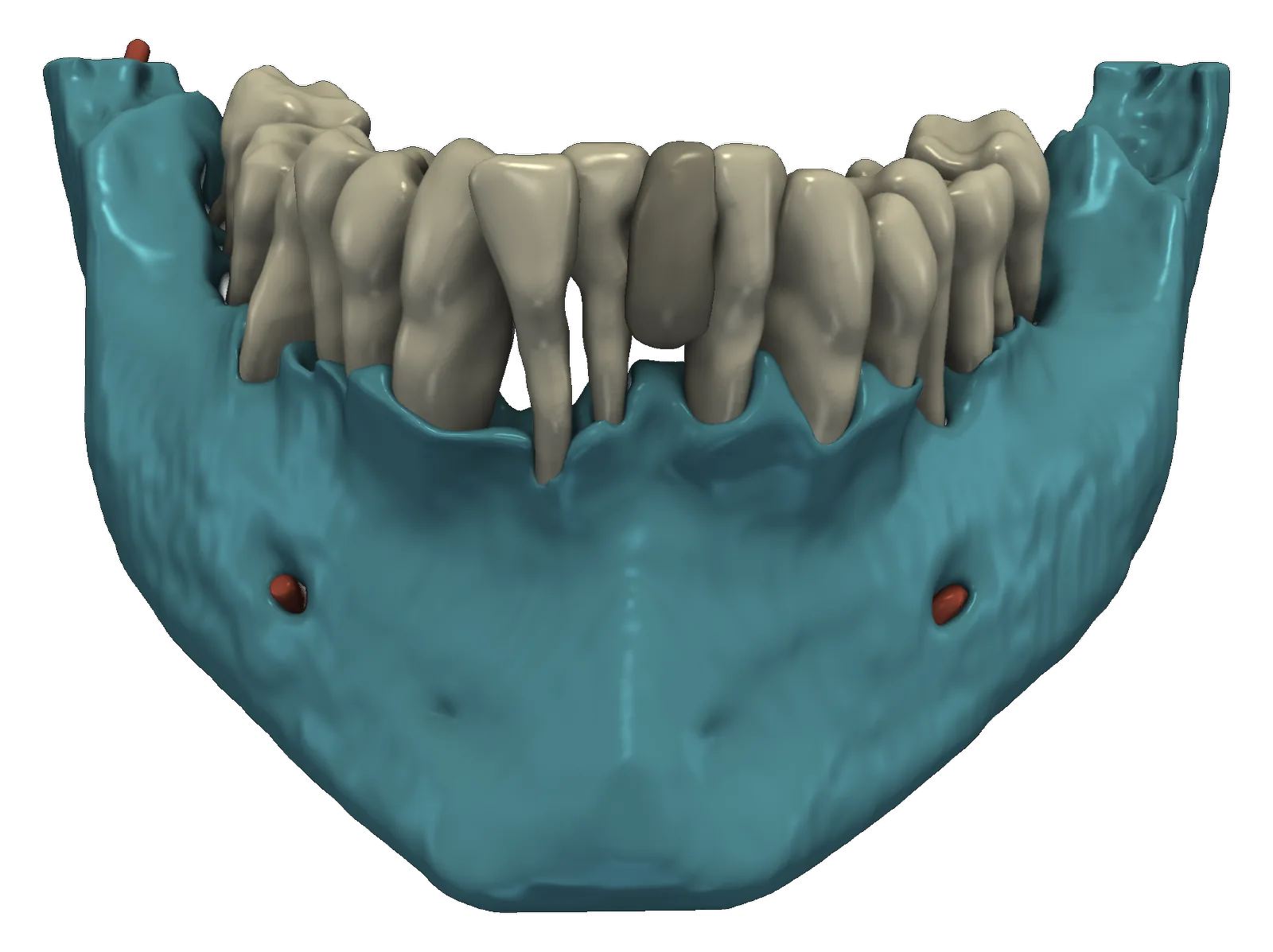
3D model
One patient-specific model, ready to inspect, correct and explain.
One model. Many ways to explore it.
Visualize
Inspect a 3D representation of anatomical structures. Rotate it, and show or hide each layer.
Communicate
Use the model to explain anatomy during patient conversations.
Inspect & correct
Review the AI-built model and correct it where needed.
Drag to rotate
Plans
Two plans. STL export is the upgrade.
Both plans build and display the full 3D model. Premium adds STL export, so the anatomy can be reproduced as a physical model.
3D viewing & patient education
- AI segmentation
- CBCT–IOS registration
- 3D viewing
- Patient education
STL export for anatomical models
- Everything in Standard
- STL export of the anatomical model
- Physical reproduction of anatomy
What does Anatomic Modeler do?
It builds a patient-specific 3D model from CBCT and intra-oral scan data. AI-assisted segmentation and registration bring both scans into one 3D view that you can inspect, correct and use to explain anatomy to patients.
What do I need to run it?
Anatomic Modeler is Windows desktop software. You need the patient's CBCT (DICOM) and intra-oral scan (STL).
What's the difference between Standard and Premium?
Both include AI segmentation, CBCT–IOS registration, 3D viewing and patient education. Premium adds STL export, so you can reproduce the anatomy as a physical model.
Can I correct the model?
Yes. You can inspect the AI-built model and correct it before you use it.
Is it a diagnostic or planning tool?
No. Anatomic Modeler is for visualization and patient education. It doesn't make diagnostic conclusions or treatment recommendations, and it doesn't do surgical planning or guide design. For guided implant planning, see UNI-Plan.
How much does it cost?
Anatomic Modeler is offered as a subscription. Pricing is on request while we finalise the rollout — use the form below and we'll get back to you.
Explore Anatomic Modeler
See your patients' anatomy in 3D.
Tell us about your practice and which plan interests you. We'll get back to you with access and pricing.
Windows desktop software · hello@thedent.ai